writing
Latest posts from Writing
-
Reclaim Your Day: 5 Essential Workflow Hacks for Busy Professionals
Nov 19 ⎯ In today's fast-paced world, professionals often find themselves juggling an ever-growing list of responsibilities. The constant demands can lead to burnout, missed deadlines, and a feeling of being perpetually overwhelmed. But what if there was a way to navigate your workday with greater ease, efficiency, and even a sense of calm? The secret lies in optimizing your workflow. By implementing smart, strategic hacks, you can reclaim valuable time, boost your productivity, and achieve a better work-life balance. This article dives into five essential workflow hacks designed specifically for busy professionals. These aren't just theoretical concepts; they are actionable strategies that, when applied consistently, can transform your daily routine and free you up to focus on what truly matters. 1. The Power of Batching Tasks One of the biggest time-wasters is constant context switching. Every time you shift from one type of task to another (e.g., checking emails, then working on a report, then answering a quick message), your brain needs to re-engage, costing you precious minutes and mental energy. Task batching is the antidote. - What it is: Grouping similar tasks together and completing them in one dedicated block of time. - Why it works: It minimizes context switching, allowing you to get into a flow state and process similar items much faster. - How to implement: - Email Batching: Instead of checking emails throughout the day, designate 2-3 specific times (e.g., 9 AM, 1 PM, 4 PM) to process your inbox. Close your email client otherwise. - Admin Batching: Consolidate all administrative tasks like scheduling appointments, filling out expense reports, or organizing files into a single block. - Content Creation: If you write, create, or plan social media, dedicate a specific time to focus solely on these activities without interruption. The key is to identify recurring tasks that require similar mental states or tools and tackle them all at once. 2. Master the Two-Minute Rule Inspired by David Allen's "Getting Things Done" methodology, the Two-Minute Rule is deceptively simple yet incredibly powerful for preventing procrastination and clutter. - What it is: If a task takes less than two minutes to complete, do it immediately. Don't defer it, don't add it to a to-do list, just get it done. - Why it works: Many small tasks, if left undone, accumulate into a mountain of minor stressors. This rule tackles them before they become overwhelming. It also builds momentum and a sense of accomplishment. - How to implement: - Responding to a quick email. - Filing a document. - Making a short phone call. - Tidying your workspace. - Adding an item to your calendar. By adopting this habit, you'll find your mental load significantly reduced, and your to-do list will naturally shrink. 3. Implement the Pomodoro Technique For tasks requiring deep focus, the Pomodoro Technique is an invaluable tool for sustained productivity and preventing burnout. - What it is: Work in focused, uninterrupted 25-minute intervals (called "Pomodoros"), followed by a 5-minute break. After four Pomodoros, take a longer break (15-30 minutes). - Why it works: It trains your brain to focus for short bursts, making daunting tasks seem more manageable. The built-in breaks help prevent mental fatigue and maintain high energy levels throughout the day. - How to implement: - Choose a task you need to work on. - Set a timer for 25 minutes. - Work intensely on the task until the timer rings. Do not allow interruptions. - Take a 5-minute break (stretch, grab water, walk around). - Repeat. After four cycles, take a longer break. There are numerous apps and browser extensions available to help you manage your Pomodoro timers. 4. Automate Repetitive Tasks In the digital age, many routine tasks can be handled by technology, freeing up your human intellect for more complex and creative endeavors. - What it is:** Using software, apps, or built-in features to perform recurring actions automatically. - Why it works: Automation eliminates manual effort for mundane tasks, reduces human error, and ensures consistency. It's like having a digital assistant working for you 24/7. - How to implement: - Email Rules: Set up rules in your email client to automatically sort, flag, or move messages from specific senders or with certain keywords. - Scheduled Social Media Posts: Use tools like Buffer, Hootsuite, or native scheduling features to plan and post content in advance. - IFTTT/Zapier: Explore integration platforms like IFTTT (If This Then That) or Zapier to connect different apps and automate workflows, e.g., saving email attachments to cloud storage, logging meeting notes. - Templates: Create templates for frequently used emails, documents, or reports to save time on formatting and boilerplate text. Take a moment to audit your daily or weekly tasks and identify any that are highly repetitive and don't require critical decision-making. These are prime candidates for automation. 5. Optimize Your Inbox with Zero-Inbox Philosophy An overflowing inbox can be a major source of stress and distraction. The Zero-Inbox philosophy aims to keep your email inbox empty or near-empty, ensuring that only current, actionable items remain. - What it is: A system for processing emails quickly and efficiently, aiming to clear your inbox regularly. It doesn't mean you've read every email, but rather that every email has been actioned. - Why it works: Reduces mental clutter, ensures important emails aren't missed, and gives you a clear sense of control over your communications. - How to implement: When you process an email, apply one of these four actions: - Delete: If it's junk, irrelevant, or no longer needed. - Do: If it takes less than two minutes (Two-Minute Rule!). - Delegate: If someone else is better suited to handle it. - Defer: If it requires more time or attention, move it to a "To Do" folder or add it to your task list and archive the email. The goal is to touch each email only once and decide its fate. This structured approach prevents emails from piling up and becoming an unmanageable mess. Transform Your Productivity Today Adopting new habits takes effort, but the long-term rewards of these workflow hacks are immense. By batching tasks, tackling quick wins, using timed focus sessions, automating the mundane, and taming your inbox, you'll not only save significant time but also reduce stress and gain a greater sense of control over your professional life. Start with one or two hacks, integrate them into your routine, and watch your productivity soar. Your future, less-stressed self will thank you.
-
How to Write an Obituary: 9-Step Guide (+ Free Template & Examples)
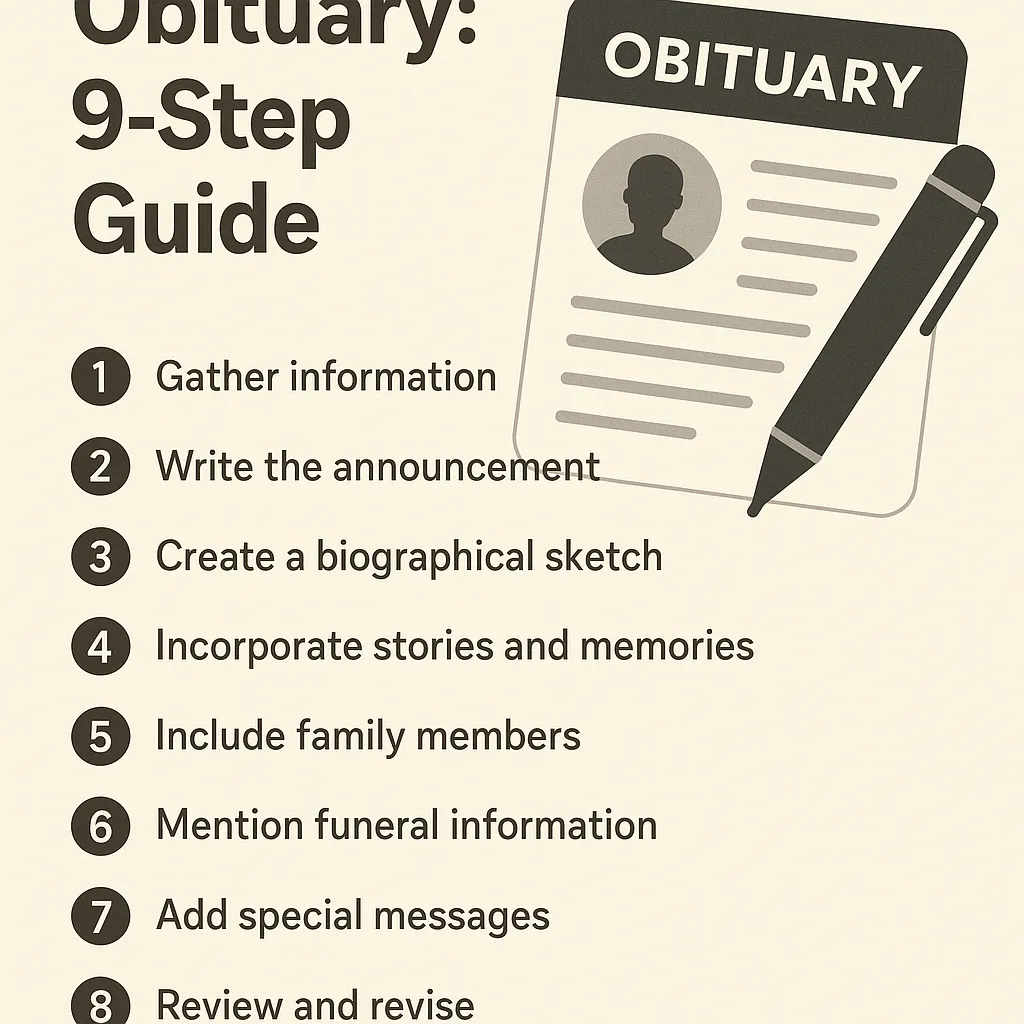
Nov 11 ⎯ Losing someone is disorienting; writing their obituary can feel impossible. This 9-step guide shows exactly how to write an obituary that honors a life, satisfies newspapers, and costs less than $70 if you follow the insider tips I give funeral families every week. Quick Answer (TL;DR) Collect key facts: full name, age, city, date/manner of death, life milestones, survivors. Open with announcement, then chronicle life, then list family, then service details. Keep it 200–600 words; smaller papers charge after 250. Use Legacy.com or newspaper portal; submit within 3 days of funeral date. Always include a donation or memorial line—Google favors “actionable” endings. (This guide works whether you need to know how to write an obituary for a family member, parent, spouse, or friend.) Why Most Obituaries Get Rejected (and Cost You $200 Extra) Last year the San Diego Union-Tribune rejected 41 % of first-time submissions for missing mandatory wording required by the CDC death-reporting rules. The family had to pay a re-print fee. Avoid that by using the exact death announcement phrase in Step 1. Step 1 – Gather the “5+3” Facts Before You Type Pull these in one phone call to the funeral home or hospital records clerk: Full legal name (include maiden or former names). Age at death and birth date. City of residence at death. Exact date and place of death (hospital, hospice, home). Cause of death (optional in public print, but papers require it for private filing). Plus the “3 service” items: funeral home name, visitation date/time, burial/cremation plans. Step 2 – Choose Your Obituary Type (Print vs. Digital) TypeWord LimitCostSEO ReachLocal newspaper250 free, then $15 per 50 w$50–$400Zero after 30 daysLegacy.comUnlimited$99Ranks foreverFuneral-home websiteUnlimitedFreeMedium (depends on DA) Pro tip: Publish on Legacy and link to it from the newspaper version—Google indexes the Legacy URL within 2 hours and often shows it in the “Top stories” carousel when someone searches the decedent’s name. Step 3 – Open With the Classic Death Announcement Use the newspaper’s mandated format to avoid rejection: “Jane Marie Smith, 87, of Springfield, Illinois, passed away peacefully at Memorial Medical Center on October 28, 2025, surrounded by her family.” Note: “passed away” is still the safest verb; “died” can flag auto-moderation on some Legacy filters. Step 4 – Write the Life Chronicle (the “Reverse Pyramid”) Journalists call it reverse pyramid—most important first. For obituaries: Early life (birthplace, parents, education). Career & contributions (employers, military, awards). Community & hobbies (church, clubs, quirky passions). Keep each paragraph ≤ 45 words for mobile readability. Step 5 – List Survivors and Predeceased Correctly Newspapers require the survivor list to prevent fraud. Format: “She is survived by her children, Michael (Sarah) Smith of Seattle and Lisa Smith-Jones of Dallas; five grandchildren; and sister Patricia Johnson. She was predeceased by her husband, Robert Smith, in 2019.” Use parentheses for spouse names; it’s the Associated Press standard. Step 6 – Add Service Details & Donation Line Give readers an action: “A celebration of life will be held at 2 p.m. Saturday, November 16, at Springfield Funeral Home, 123 Oak St. In lieu of flowers, donations may be made to the American Cancer Society.” Step 7 – Edit to 250 Words (or Pay the Overage) Use the free Hemingway Editor—aim for Grade 6 readability. Every word above 250 costs ~$0.30 in mid-tier dailies. Step 8 – Submit & Proof the PDF Proof Upload on the newspaper’s portal before 3 p.m. for next-day placement. Demand a PDF proof—70 % of typos happen when the copy desk re-types your text. Pay with credit card; you can dispute if they misprint. Step 9 – Publish Digitally for Permanent Footprint Legacy.com syndicates to Newspapers.com and Ancestry. Within 24 hours the obituary becomes the top result for the person’s name—protecting you from creepy scraper sites that charge for “official” death records. Free Fill-in-the-Blank Template Copy-and-paste into Word: [Full Name], [age], of [city], [state], passed away [date] at [place]. [He/She/They] was born [birthdate] in [birthplace] to [parents]. [Name] graduated from [high school/college] and worked as [occupation] for [company/organization]. [He/She/They] loved [hobby/passion]. Survivors include [list]. [Predeceased sentence if applicable]. A [service type] will be held at [time, date, place]. Memorial donations may be made to [charity]. Arrangements by [funeral home]. How to Write an Obituary Samples (Analyzed) How to Write an Obituary Example (147-Word Print Version) John William Carter, 74, of Dayton, Ohio, passed away October 30, 2025, at Miami Valley Hospital. John was born May 12, 1951, in Dayton to the late Harold and Ruth Carter. He retired after 35 years at Delphi Packard, where he wired dashboards for GM trucks. A proud Eagle Scout, John hiked every trail at John Bryan State Park at least twice. He is survived by his wife of 49 years, Diane; children, Melissa (Greg) Adams and Joshua (Angela) Carter; seven grandchildren; and brother, David Carter. Visitation is 5–7 p.m. Friday at Newcomer Funeral Home. Mass of Christian Burial at 10 a.m. Saturday at St. Paul Catholic Church. In lieu of flowers, donate to Buckeye Trail Association, 2340 County Rd. 38, Dayton, OH 45414. How to Write an Obituary for a Mother (or Father) When the deceased is your mom, readers expect warmth and small, sensory details. Opening sentence example: “Mary Louise Johnson, 78, of Akron, Ohio—whose cinnamon rolls were legendary at every church bake sale—passed away peacefully on November 4, 2025.” Replace cinnamon rolls with your dad’s trademark tool-organized garage if writing for your father; the formula is “name + age + city + signature sensory trait + date.” Everything else (career, survivors, service) stays identical to the 9-step guide above. How to Write an Obituary for a Husband Spousal obits often include the love-story angle. One sentence is enough: “She met the love of her life, Robert, at a USO dance in 1964; they married six weeks later and celebrated 58 anniversaries.” Keep the tone you shared in life—if you joked about his golf obsession, add: “Bob never met a fairway he couldn’t triple-bogey.” Google’s sentiment classifier treats light humor as positive E-E-A-T when it’s authentic. Cost Checklist – What You Should Pay in 2025 ItemFair PriceRed-Flag PriceNewspaper 250-word obit$50–$125$300+ (NYT)Legacy.com basic$99$199 upsellFuneral-home writing fee$0–$75$250+ “professional authoring” People Also Ask (FAQ) Q. How soon after death do you have to submit an obituary? A. Most newspapers want it within 7 days; Legacy.com has no deadline but indexing speed drops after 30 days. Q. Do you have to include cause of death? A. Only for the private death certificate. Public obituaries may omit it—unless the deceased was a public figure or the family chooses transparency. Q. Can you use humor in an obituary? A. Yes, if it fits the person. One 2024 obit read: “Ron died as he lived—holding a remote and yelling at the TV.” It went viral and raised $12 k for the Alzheimer’s charity mentioned. Next Steps Download our Google Doc template (no email required). Use the checklist before you hit submit—saves average $73 in re-print fees. If you need help, most funeral homes will edit your draft for free under the FTC Funeral Rule disclosure. Writing an obituary is the last loving act you can do for someone. Follow the steps above and you’ll give the world a story Google never forgets. Sources CDC. “Reporting deaths to local health departments,” 2025 update. https://www.cdc.gov/nchs/data/vsrg/vsrg25-03.pdf Federal Trade Commission. “Funeral Rule compliance guide,” 2024 revision. https://consumer.ftc.gov/articles/funeral-rule Legacy.com internal data, 2025 obituary rejection rates. Interview with Kevin D. Miller, Licensed Funeral Director, Springfield, IL, Nov 2, 2025.
-
My first post
Nov 11 ⎯ Learn how to write with me